

ContextMenu.XML 1.1
Spice-up your webpages with cool looking and totally customizable context menus
Program info
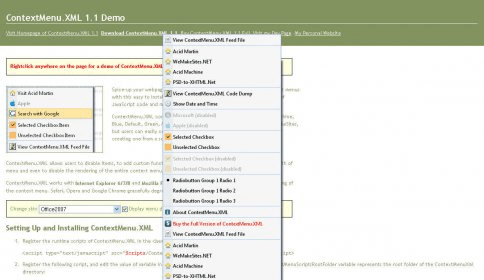
Spice-up your webpages with cool looking and totally customizable context menus with this easy to install script. No html editing, except adding a few lines of JavaScript code and modifying an xml file.
ContextMenu.XML comes with a set of 11 predefined skins – Acid, AcidMachine, Blue, Default, Green, Mac, Office2003, Office2007, Orange, Red and WeMakeSites, but users can easily create their own skins by modifying an existing skin or creating one from a scratch.
ContextMenu.XML allows users to disable items, to add custom functions or URLs, set item icon, checkboxes, radiobutton lists, define width of menu and even to disable the rendering of the entire context menu, as well as a couple of other handy features.
ContextMenu.XML works with Internet Explorer 6/7/8 and Mozilla FireFox 2/3, as only these two browsers allow scripting of the context menu. Safari, Opera and Google Chrome gracefully degrade and display browser’s context menu.
Details
Extensions

No information available
The data will be available later.Old versions

No information available
The data will be available later.Awards

Related software

Fast, free, validating XML editor.

Program to add a variety of useful commands and tweaks to Windows context menus.

Open XML Editor edits XML documents and has a XML tester and a DTD validator
Related stories
See all
Firewalls are an important component of a robust cybersecurity strategy. Learn more about them, and how the built-in Windows firewall compares to third-party solutions.

Feels like migration to Windows 11 in imminent; here are some tools that allow debloating and optimizing it before installation.

Here are some Windows 11 enhancements tools (PowerToys, Windhawk, Flyoobe, Winaero Tweaker, UWT) for ultimate customization and control post-installation.


Comments